 Radbin
The short answer: connect Claude or ChatGPT to Photoshop with an MCP connector such as Radbin, give it a photo of you and a thumbnail you like as a reference, and describe the video in a line. It builds the scene with AI models, puts you in it, sets the type, checks the design at the size YouTube shows it, and saves a 1280 × 720 JPG under 2 MB.
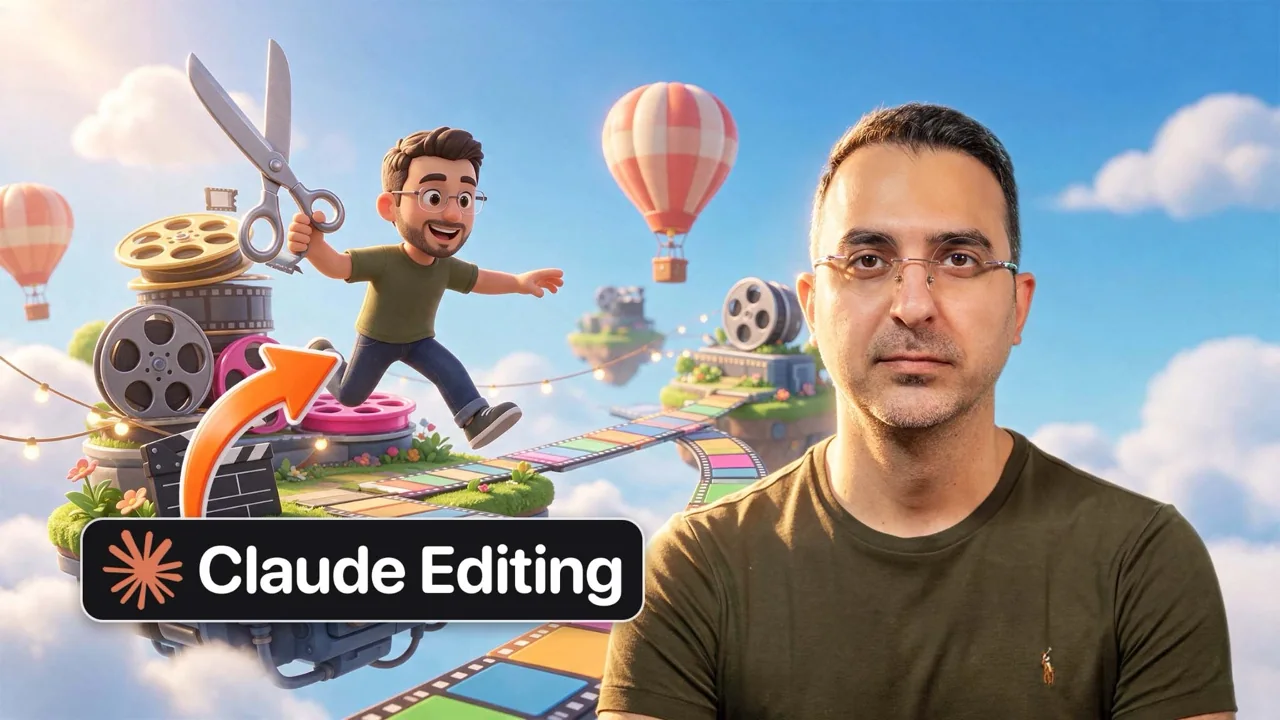
Full disclosure: I make Radbin. This thumbnail is the bonus at the end of my Claude in Photoshop video, made by Claude Opus 5.5 through Radbin on 20 November 2026.
What I gave it
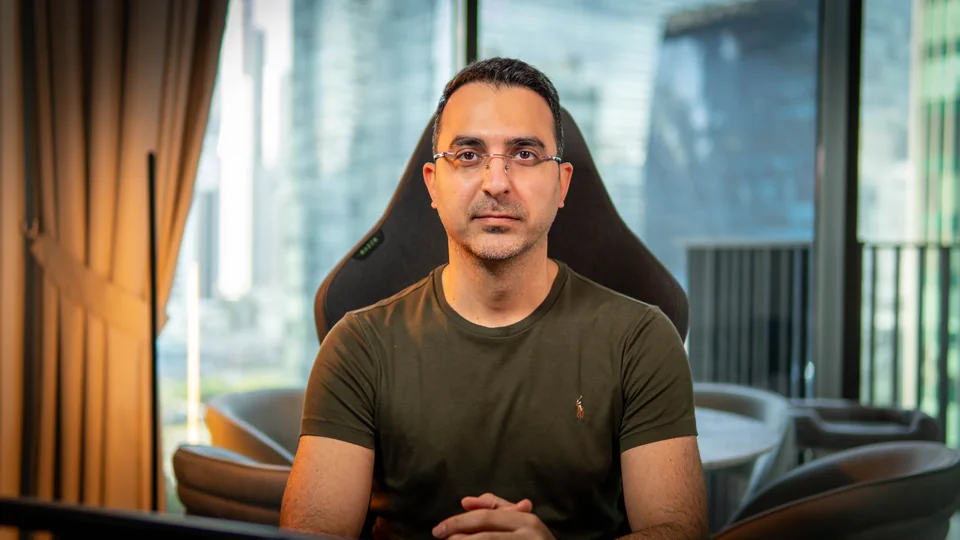
A photo of me from a shoot, a thumbnail in a style I liked as a reference, and what the video is about: Claude editing my videos.
How Claude built it
Its plan, in its own words: “a sunny 3D platformer with you leaping between timeline platforms and a dark ‘Claude Editing’ badge with an orange arrow pointing at you, costing about 10 credits for the world, arrow and relight.” Then, step by step:
- The 3D world, with my photo as the likeness reference for the cartoon character: Seedream 5.5, 3 credits.
- The orange arrow as a separate cut-out with a transparent background, made while the world rendered: Seedream 5.5, 3 credits.
- The layout: the world at the back, my cut-out large on the right, and the arrow pointing from the badge up to the 3D me.
- The badge, drawn as a vector shape, so it stays sharp and editable.
- A relight of me, so the light on my face matches the sunny scene.
- The checks: my hair edge at 100% against the sky, with no halo, and the whole design at sidebar size, where the 3D me, the badge and my face all read.
- The export: 1280 × 720.
Two more versions
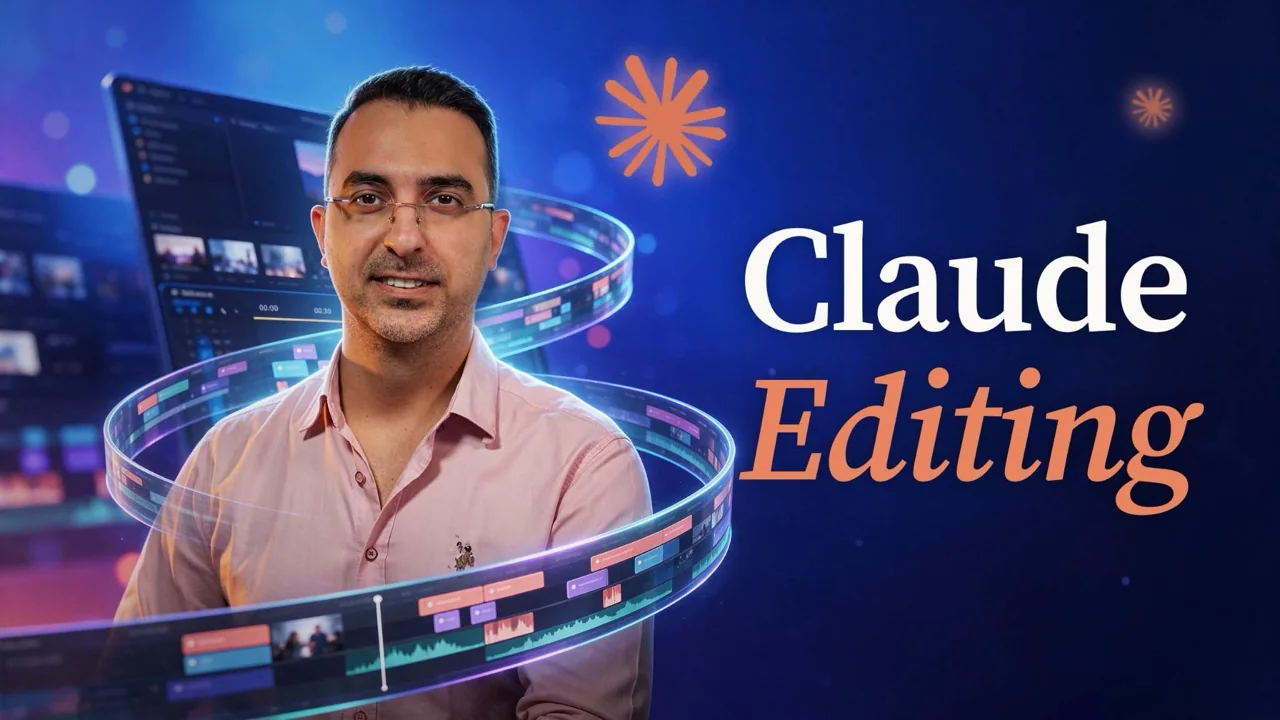
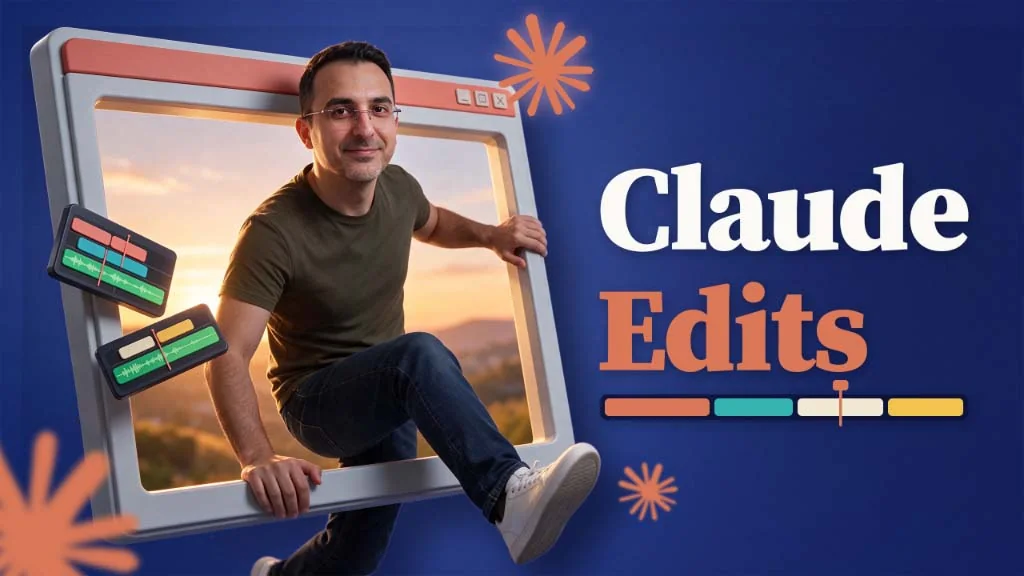
Each new idea is one more message. These came out of the same chats:
The thumbnail rules it follows
Radbin gives Claude a thumbnail playbook built from designers' practice and published thumbnail studies, with numbers it checks against:
- 3 to 6 words, about 5 on average, that add to the title instead of repeating it.
- Big type: 140 to 220 pixels tall on a 1280 × 720 thumbnail, never under 100.
- Clear zones: 5 to 8% at the edges, the bottom 15%, and the bottom-right corner, where YouTube shows the video's length.
- One idea, three focus areas at most, and about a third of the frame calm.
- The real logo, placed from the brand's own file, never drawn or made by AI.
- A final judge: Radbin shows it the design on YouTube's dark and light pages, at feed and sidebar size, in grey and squinted, before it calls it done.
Prompts to try
- Make a YouTube thumbnail from the photo of me open in Photoshop, in the style of the reference I opened, for a video about [Claude editing my videos]. Me large on the right, 3 to 5 words, 1280 × 720, under 2 MB.
- Cut me out, put me in front of [a messy desk turned into a clean studio], and add the words “[I tried it]”. Keep my face exactly as it is.
- Make three versions with different backgrounds and show them side by side, so I can pick one.
Connect your app first: Claude (free plan) or ChatGPT (a paid plan).
More real jobs, done by AI in Photoshop
- AI in Photoshop: every way to use it
- Web design in Photoshop with AI
- Poster and flyer design in Photoshop with AI
- Virtual staging in Photoshop with AI
- Business card design in Photoshop with AI
- Brochure design in Photoshop with AI
- Catalog design in Photoshop with AI
- Mobile app design in Photoshop with AI
- Label design in Photoshop with AI
- Photoshop automation: actions, batch and AI agents
- Claude in Photoshop prompts that worked
- How to connect Claude to Photoshop, or ChatGPT
Connect your AI app to Photoshop, free
Radbin gives Claude, ChatGPT and other AI apps Photoshop's own tools and a playbook of how a professional edits. Connecting is free, and a free account adds 40 credits for Radbin's AI models.
Watch Radbin on YouTube
Real tests and tutorials, inside Photoshop and Premiere. See the whole channel.
 21:44Photoshop 2027 new features vs Radbin
 19:57Claude Opus 5.5 edits my video in Premiere Pro
 16:20GPT Image 2.6 in Photoshop: images, vectors and GIFs
 7:37Upscale a low res portrait to 4K in Photoshop
 19:25Relight any photo in Photoshop with AI
 20:03Nano Banana 2.1 vs GPT Image 2 and FLUX 3: ten tests
 14:31Photoshop Relight vs Radbin Lightsmith
 10:24Retouch skin without losing the texture
 9:28Every Radbin tool in 9 minutes
 9:50Fix the focus of any photo after it was taken
 1:43Radbin changes only what you ask