 Radbin
The short answer: connect Claude or ChatGPT to Photoshop with an MCP connector such as Radbin and ask for a business card, with its size. The AI makes a new document at print size with bleed, sets the type in fonts you have installed, draws a simple mark from shapes and keeps every part editable. Photoshop's own tools are free with Radbin, so a card like this costs no credits.
Full disclosure: I make Radbin. Claude (Opus 5.5) made this card through Radbin in my Photoshop on 25 November 2026, with Photoshop's own tools only, so it used no AI credits.
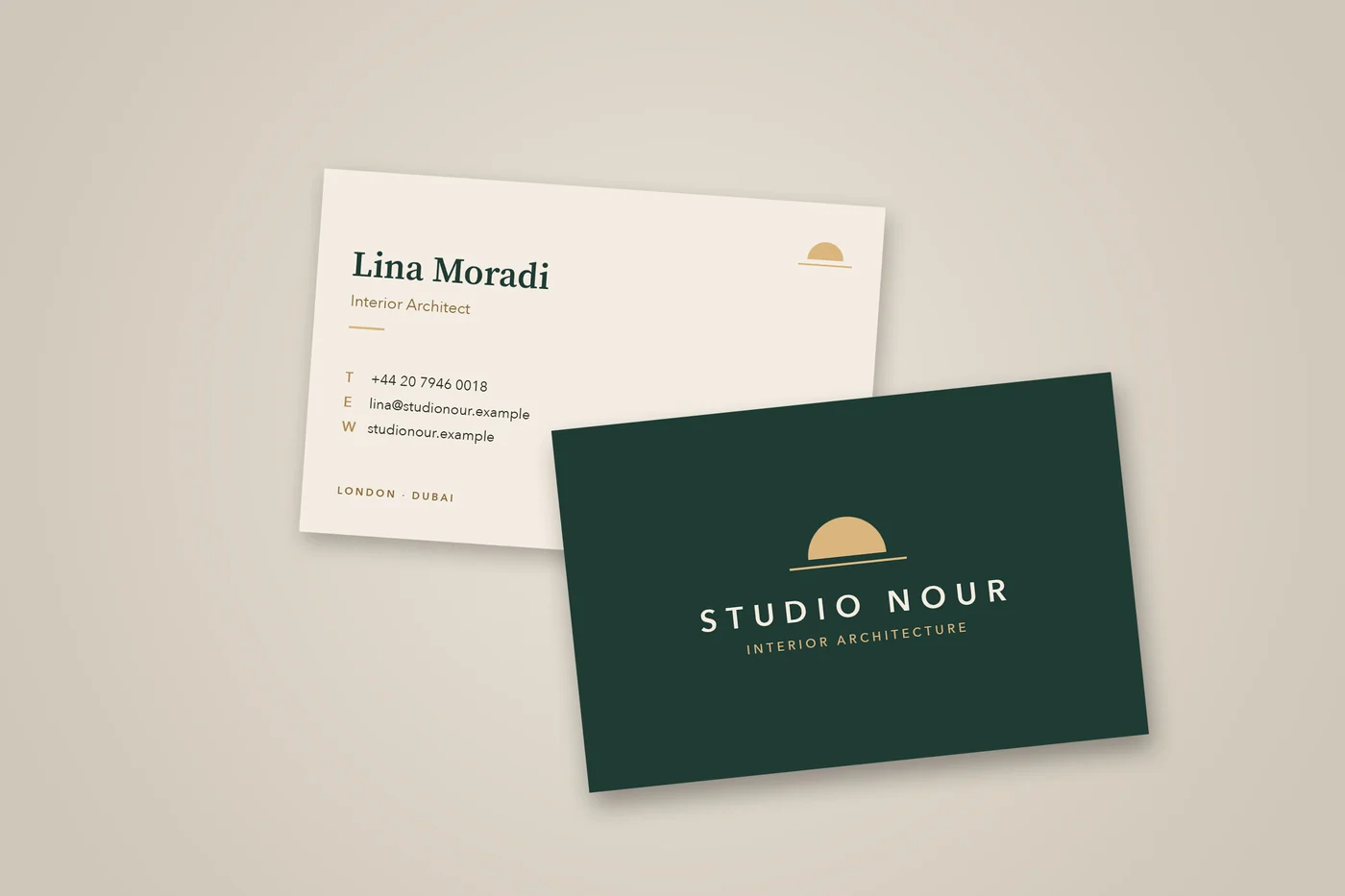
What Claude made
A card for a made-up interior architecture studio, Studio Nour:
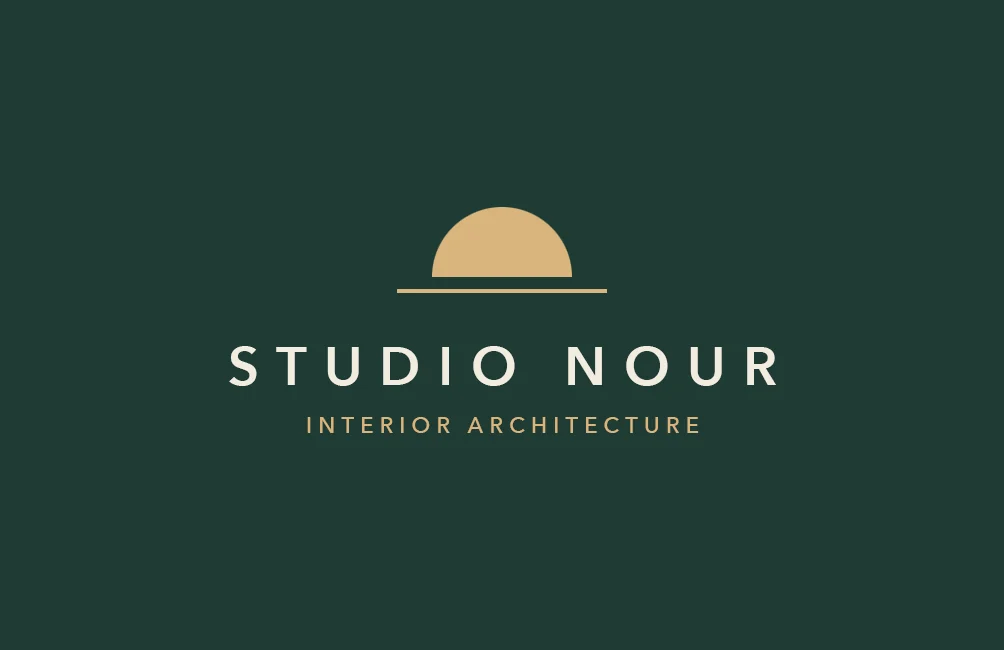
- The front: forest green, a rising-sun mark built from half a circle and a line, “STUDIO NOUR” in widely spaced capitals and a small sand line beneath.
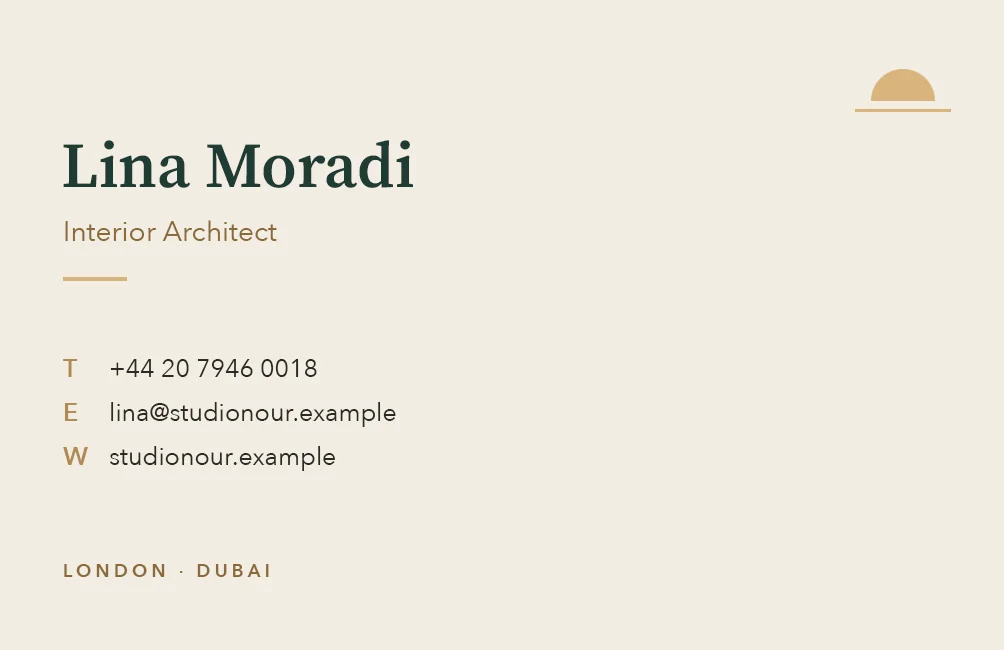
- The back: warm cream, the name in a serif, the title in sand brown, a short rule, the phone, email and website with T, E and W labels in their own column, the cities, and the mark again, small, in the corner.
Ready for print
- Size: 85 × 55 mm, plus 3 mm of bleed on every side, at 300 ppi: a 1075 × 720 pixel document per side.
- Safe zone: nothing important closer than 4 mm to the cut.
- Fonts: Source Serif for the name and Avenir Next for the rest, both installed on the computer, as live type.
- Colour: made in RGB. Ask your printer whether they want CMYK and a PDF.
The mockup, made in Photoshop too
To show a client, Claude saved each side, placed both as smart objects in a new document, trimmed them to 85 × 55 mm, turned them a few degrees and gave them soft shadows on a stone backdrop. No mockup template, and no AI.
What it took
| Time | AI credits | Layers |
|---|---|---|
| 4 minutes 41 seconds, both sides and the mockup | None | 6 on the front, 10 on the back |
Make yours
Connect Claude or ChatGPT to Photoshop with Radbin, then ask:
Design a business card for [name], [title] at [studio], 85 × 55 mm with 3 mm bleed at 300 ppi, front and back as two documents. [Minimal and warm], two fonts I have installed, one accent colour, and a simple mark made from shapes. Put every element on its own named layer. Then make a mockup of both sides on a [stone] background.
Have a logo? Open or place the real file first and say “use my logo”. In the US, ask for 3.5 × 2 inches instead.
More real jobs, done by AI in Photoshop
- AI in Photoshop: every way to use it
- Web design in Photoshop with AI
- Poster and flyer design in Photoshop with AI
- YouTube thumbnails in Photoshop with AI
- Virtual staging in Photoshop with AI
- Brochure design in Photoshop with AI
- Catalog design in Photoshop with AI
- Mobile app design in Photoshop with AI
- Label design in Photoshop with AI
- Photoshop automation: actions, batch and AI agents
- Claude in Photoshop prompts that worked
- How to connect Claude to Photoshop, or ChatGPT
Connect your AI app to Photoshop, free
Radbin gives Claude, ChatGPT and other AI apps Photoshop's own tools and a playbook of how a professional edits. Connecting is free, and a free account adds 40 credits for Radbin's AI models.
Watch Radbin on YouTube
Real tests and tutorials, inside Photoshop and Premiere. See the whole channel.
 21:44Photoshop 2027 new features vs Radbin
 19:57Claude Opus 5.5 edits my video in Premiere Pro
 16:20GPT Image 2.6 in Photoshop: images, vectors and GIFs
 7:37Upscale a low res portrait to 4K in Photoshop
 19:25Relight any photo in Photoshop with AI
 20:03Nano Banana 2.1 vs GPT Image 2 and FLUX 3: ten tests
 14:31Photoshop Relight vs Radbin Lightsmith
 10:24Retouch skin without losing the texture
 9:28Every Radbin tool in 9 minutes
 9:50Fix the focus of any photo after it was taken
 1:43Radbin changes only what you ask