 Radbin
The short answer: connect Claude or ChatGPT to Photoshop with an MCP connector such as Radbin, open your photo, and describe the poster: the title, what to fix in the photo, the mood and the versions you want. The AI fixes the photo with Photoshop's tools and AI models, sets the type, and keeps every step as a layer.
Full disclosure: I make Radbin. This is a real job from my video, made by Claude Opus 5.5 in Photoshop through Radbin on 22 November 2026.
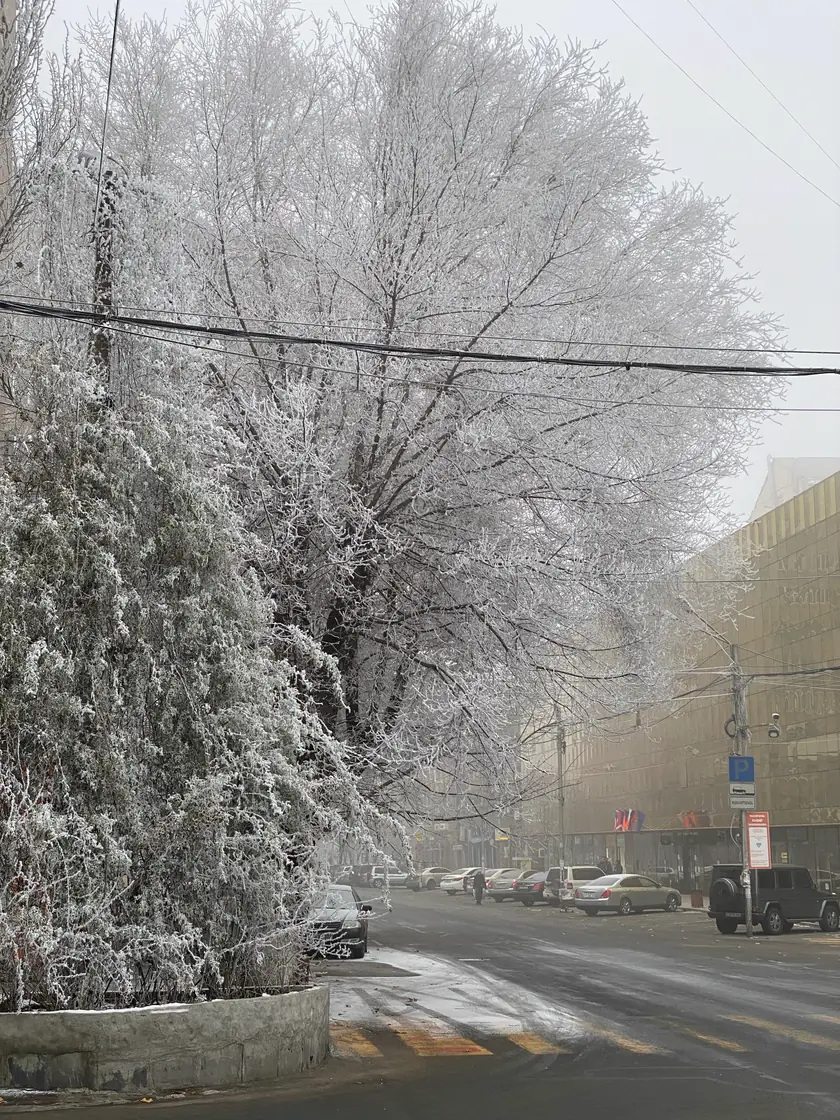
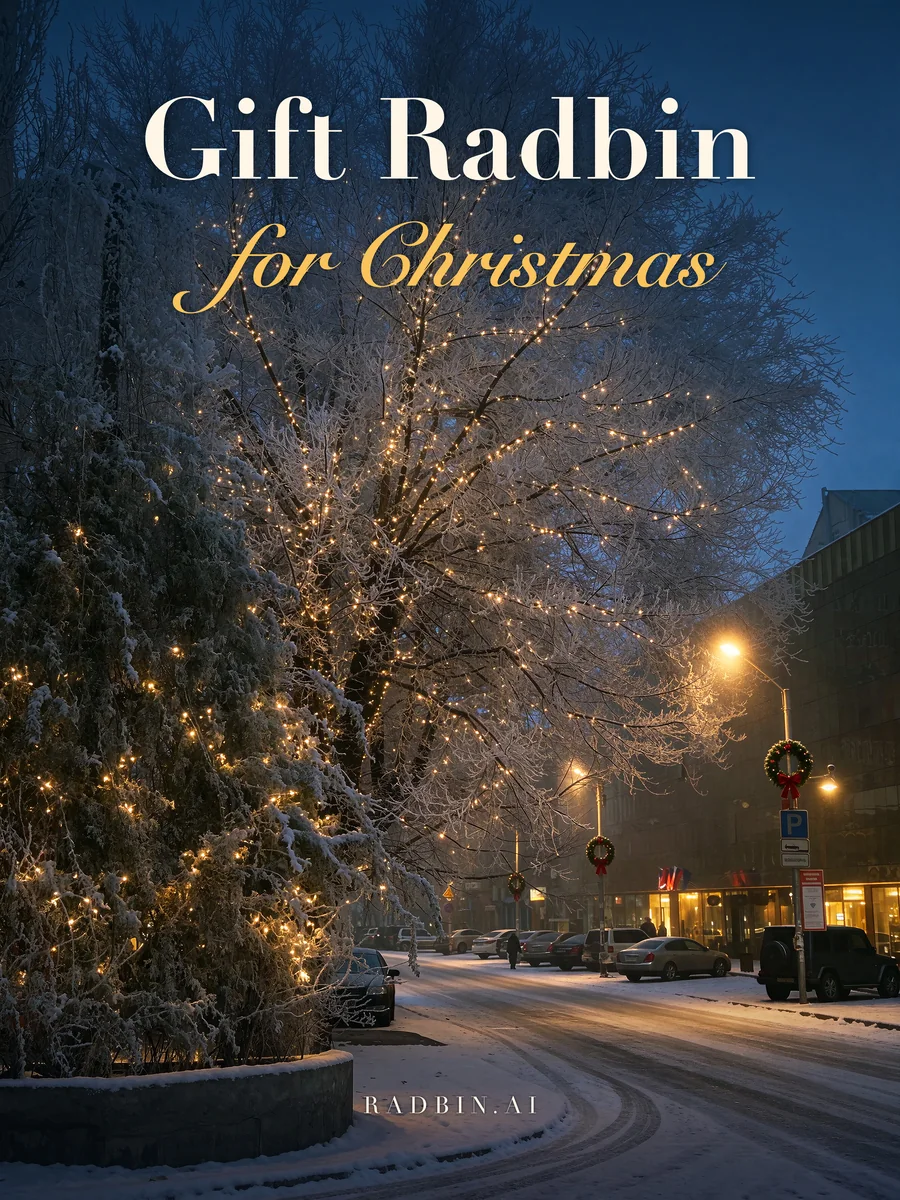 The photoThe poster
Drag the handle. The evening version. For this post I took a painted slogan off the planter in the before; Claude's poster had removed it too.
The prompt
A blurry phone photo of the street I used to live on, on a foggy, snowy morning, with wires across it. One prompt, typos and all:
in my photoshop use Radbin to edit this image IMG_4236.HEIC , I want it to look like a professional photo poster, add more snow to the ground, remove the wires and add a good title like Gift Radbin for Christmas. then also make it high resolution and make 2 version of morning with cloudy light and evening with christmas feeling and christmas lighting and decorations.
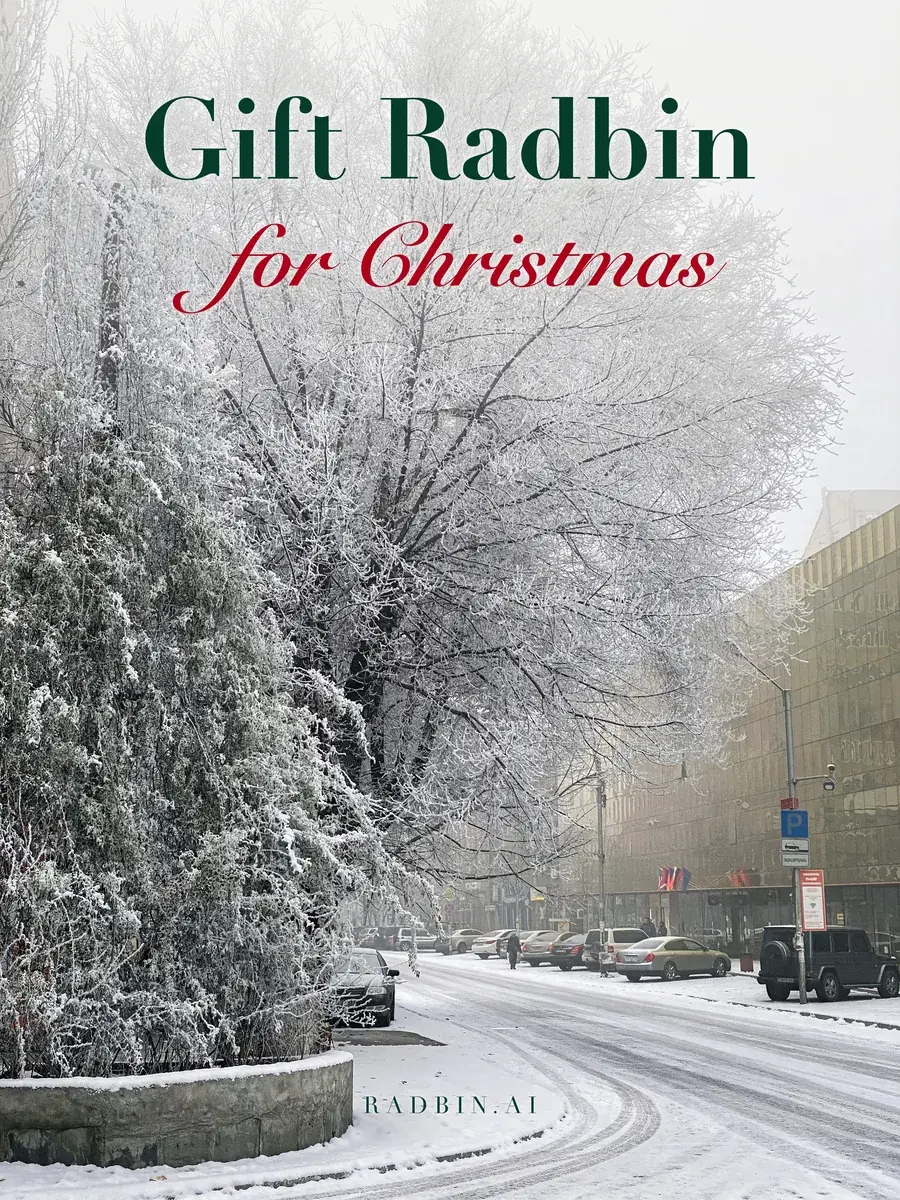
What Claude did
- Read the job as a list: snow, wires, title, size, two versions, and planned it in that order.
- Changed the photo with AI: more snow on the ground and the wires gone. It missed part of one wire, noticed, and went back for it on its own.
- Built the evening version: a darker sky, lights in the trees, wreaths on the lamp posts and warm street lamps.
- Set the type: “Gift Radbin” in a serif, “for Christmas” in a script, coloured for each version, and a small RADBIN.AI at the foot.
- Made it big: “make it high resolution” gave two files of 6048 × 8064 pixels, enough for an A2 print at over 300 ppi.
What it took: about 9 minutes, 15 credits (about 75 cents on the Starter plan) and 17 layers.
The design rules it follows
Claude didn't guess the layout. Radbin gives it a design playbook with numbers from designers' practice, and it checks its work against them. For posters, banners and ads:
- Seven words at most in the big type.
- The title about four times the size of the body text, on a 1.618 scale (11, 18, 29, 47), or 1.25 to 1.5 when the layout is busy.
- At least 5% clear at every edge.
- Three colours at most, the accent on 10% of the area at most, and one element that stands out by one thing only.
- A final look at small size, in grey and squinted, before it calls the design done.
Flyers and other posters
The same way works for anything on one page. Three prompts to start from:
- Make an A5 flyer at 300 ppi with 3 mm bleed for [a summer night market] from the photo open in Photoshop: the title, [the date, time and place] underneath, colours taken from the photo, and room at the edges.
- Turn this product photo into an A3 poster for [our winter sale]: a bold headline, [30% off] as the one accent, [the shop's address] small at the foot, and the product kept exactly as it is.
- Design a concert poster from this band photo for [Night Owls, 12 December, Blue Room]: grainy and high-contrast, with a big condensed title, A3 at 300 ppi.
For print, ask your printer what they want: most take a PDF or a high-quality JPEG, and some want CMYK.
How to make yours
- Connect Claude or ChatGPT to Photoshop with Radbin.
- Open your photo in Photoshop, or ask for a new document at the poster's size.
- Describe the poster: the title, what to fix, the mood, the versions, and the size.
- Check it at 100%, then send short notes: The title is too close to the top. Move it down and make it a little smaller.
- Ask it to save a copy: Save a JPG at full size, and a 1080 × 1350 version for Instagram.
Every prompt from the video, word for word: Claude in Photoshop prompts that worked.
More real jobs, done by AI in Photoshop
- AI in Photoshop: every way to use it
- Web design in Photoshop with AI
- YouTube thumbnails in Photoshop with AI
- Virtual staging in Photoshop with AI
- Business card design in Photoshop with AI
- Brochure design in Photoshop with AI
- Catalog design in Photoshop with AI
- Mobile app design in Photoshop with AI
- Label design in Photoshop with AI
- Photoshop automation: actions, batch and AI agents
- Claude in Photoshop prompts that worked
- How to connect Claude to Photoshop, or ChatGPT
Connect your AI app to Photoshop, free
Radbin gives Claude, ChatGPT and other AI apps Photoshop's own tools and a playbook of how a professional edits. Connecting is free, and a free account adds 40 credits for Radbin's AI models.
Watch Radbin on YouTube
Real tests and tutorials, inside Photoshop and Premiere. See the whole channel.
 21:44Photoshop 2027 new features vs Radbin
 19:57Claude Opus 5.5 edits my video in Premiere Pro
 16:20GPT Image 2.6 in Photoshop: images, vectors and GIFs
 7:37Upscale a low res portrait to 4K in Photoshop
 19:25Relight any photo in Photoshop with AI
 20:03Nano Banana 2.1 vs GPT Image 2 and FLUX 3: ten tests
 14:31Photoshop Relight vs Radbin Lightsmith
 10:24Retouch skin without losing the texture
 9:28Every Radbin tool in 9 minutes
 9:50Fix the focus of any photo after it was taken
 1:43Radbin changes only what you ask