 Radbin
The short answer: open the empty room in Photoshop, connect Claude or ChatGPT through an MCP connector such as Radbin, and describe the room: what it's for, its size, the style and the light. The AI furnishes it with an image model, keeps the walls, windows and floor as they are, and leaves the staging on its own layer. Then label the photo as virtually staged.
Full disclosure: I make Radbin. This is a real job from my video, made by Claude Opus 5.5 in Photoshop through Radbin.
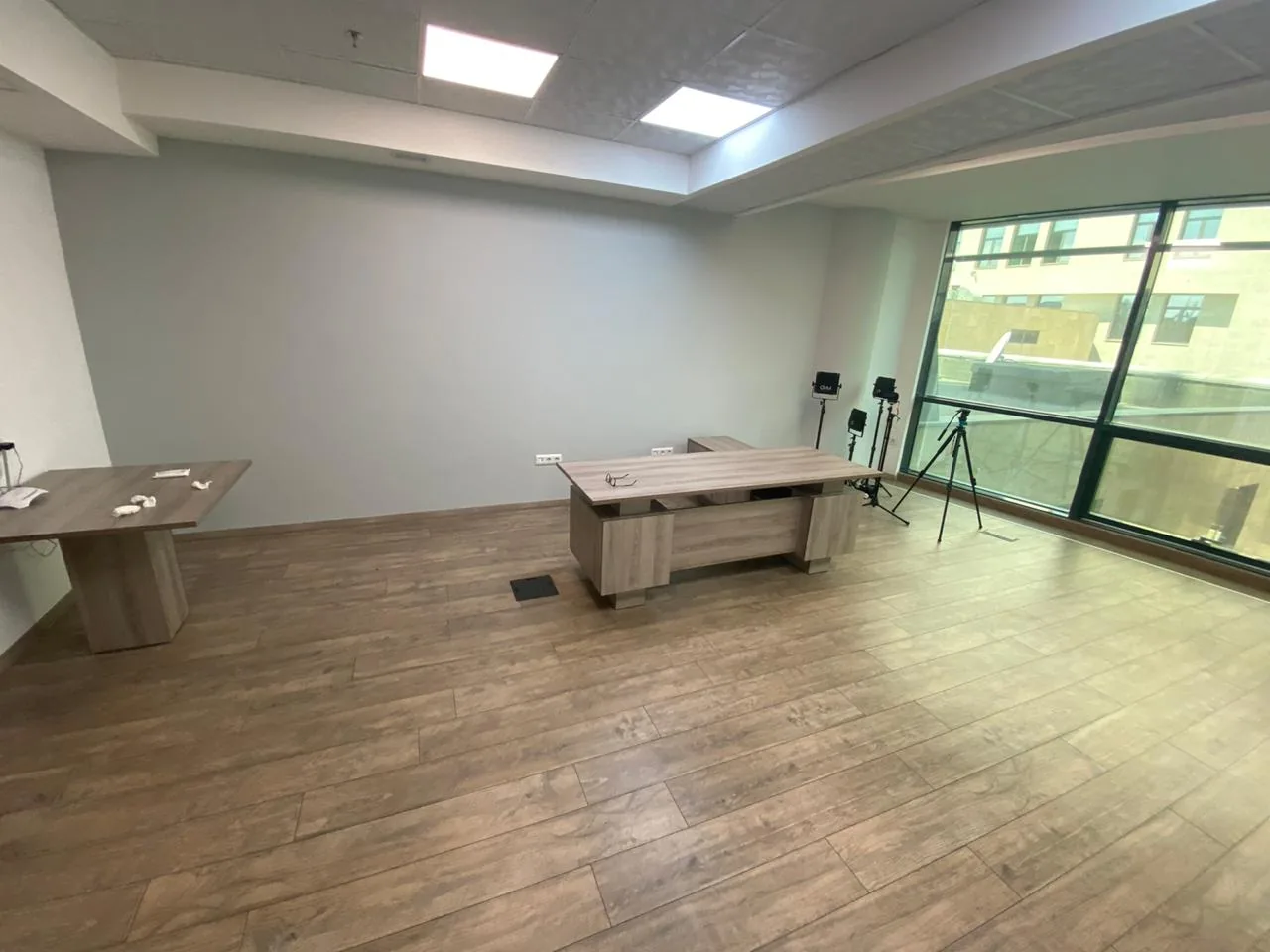
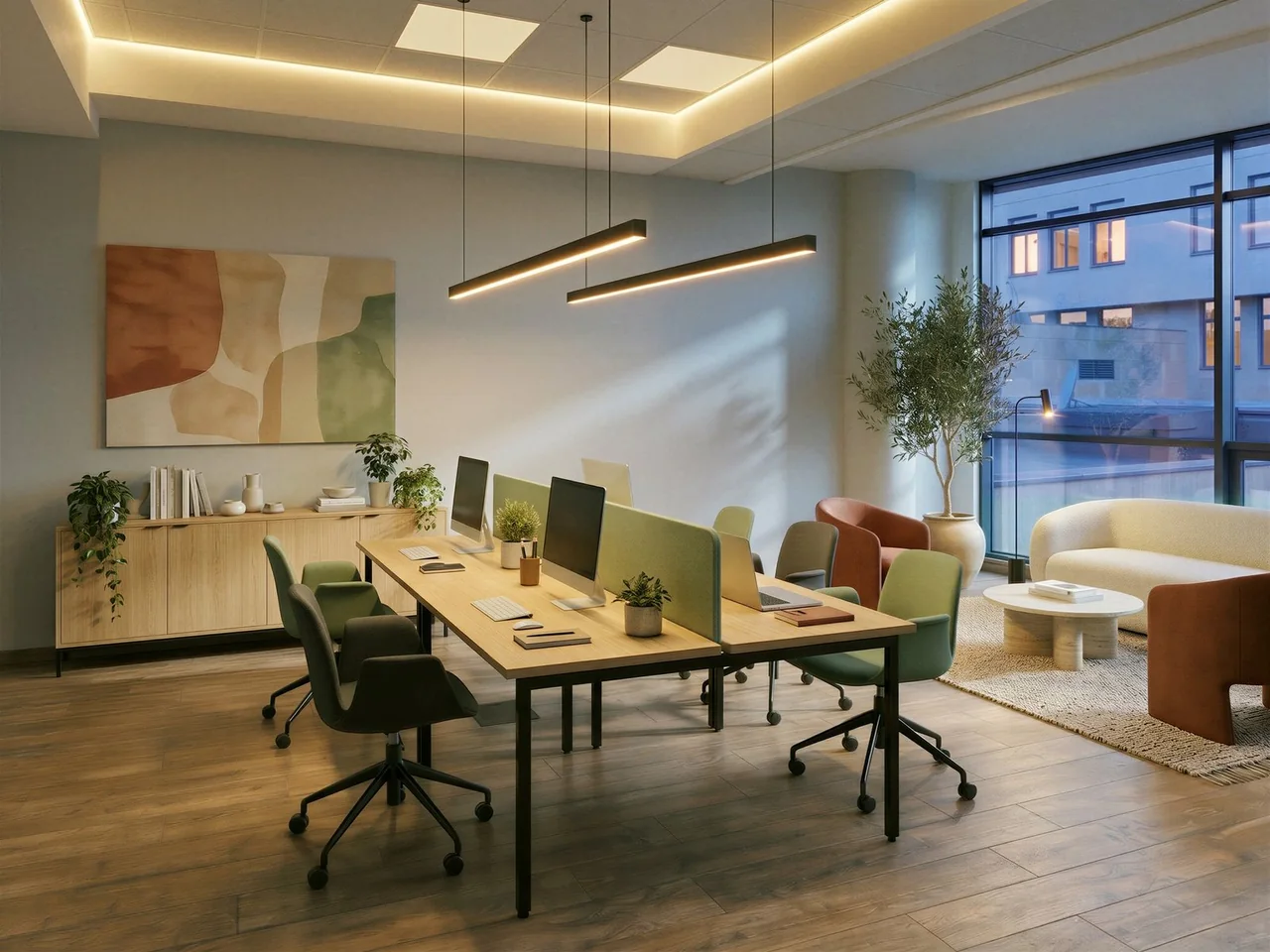 EmptyStaged
Drag the handle. The evening version, at blue hour with the lights on.
The prompt
A phone photo of an empty office, about 40 m², with two old desks and a big window. One prompt:
I want you to use Radbin to edit an empty interior image opened in Photoshop, which is a 40 square meter office, I want you to use ai and your knowledge to decorate this office in a good style that at least 4-5 people can work here, I want the design to be modern and feel alive, good for day and night time. Make it like a professional interior image for a sales page with high resolution.
“40 square meter” and “4-5 people” set the scale, so the desks fit the room. “Day and night time” asked for two versions.
Day and evening
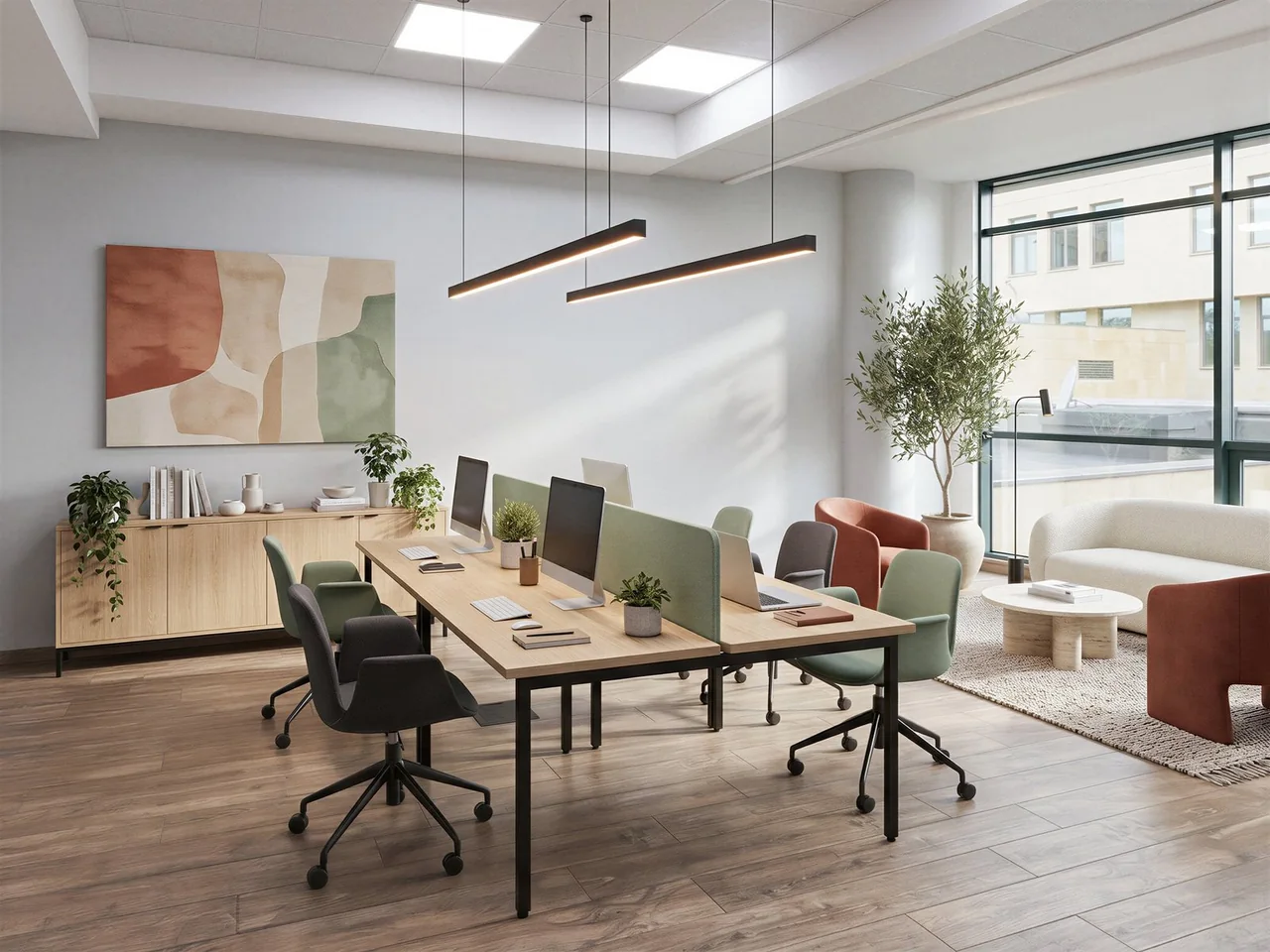
What it took: 5 minutes and 14 credits for both, about 70 cents on the Starter plan.
What Claude did, layer by layer
Every step is a named layer in one group, so it can be checked and changed. The stack, as Photoshop's Layers panel shows it:
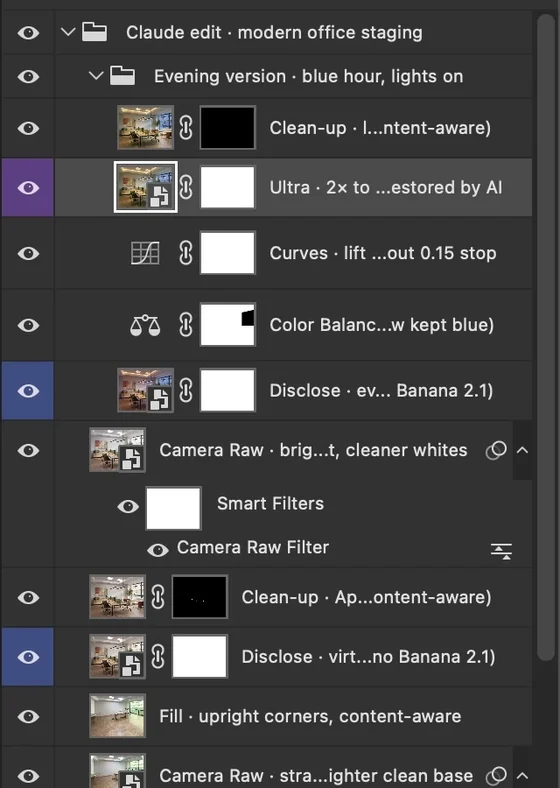
- Straightened the room with Camera Raw, as an editable filter, and filled the corners that straightening left with a content-aware fill.
- Staged it with Nano Banana 2.1, one of Radbin's image models, on a layer whose name starts with Disclose.
- Cleaned up small leftovers with content-aware fills on masks, and brightened the room with cleaner whites.
- Built the evening in its own group, “Evening version · blue hour, lights on”, with its own Disclose layer, a colour balance that kept the blue outside, and a gentle curve.
- Enlarged the evening version 2× with Ultra, Radbin's upscaler, to 4096 pixels wide.
The rules for listings
Radbin gives Claude rules for property photos, because a listing has to show the place as it is:
- Nothing real is removed or changed: no power lines, poles, views, damage, fixtures, paint, floors or landscaping.
- Staging, a new sky or a twilight look goes on its own layer named “Disclose · …”, and the user is told.
- You label the photo. Many listing sites and agencies require staged photos to say they're virtually staged. Check the rules where you list.
Stage your own rooms
- Connect Claude or ChatGPT to Photoshop with Radbin, and open the room.
- Say what the room is, its size, who it's for, the style and the light.
- Check the result at 100%: the windows, the floor and the edges of the furniture.
- Ask for changes in plain words: Swap the green chairs for oak ones and add a rug under the desk.
Prompts to start from:
- Stage this empty [living room] in a [Scandinavian] style for a family of four, and make a second version at dusk with the lamps on. Keep the walls, windows and floor exactly as they are.
- Furnish this [bedroom] for a rental listing: a double bed, bedside lamps and one plant, calm and neutral. Put the staging on its own layer.
- Edit this room for a listing without staging: straight verticals, the windows balanced with the room, warm but true colours. Don't add anything that isn't there.
More real jobs, done by AI in Photoshop
- AI in Photoshop: every way to use it
- Web design in Photoshop with AI
- Poster and flyer design in Photoshop with AI
- YouTube thumbnails in Photoshop with AI
- Business card design in Photoshop with AI
- Brochure design in Photoshop with AI
- Catalog design in Photoshop with AI
- Mobile app design in Photoshop with AI
- Label design in Photoshop with AI
- Photoshop automation: actions, batch and AI agents
- Claude in Photoshop prompts that worked
- How to connect Claude to Photoshop, or ChatGPT
Connect your AI app to Photoshop, free
Radbin gives Claude, ChatGPT and other AI apps Photoshop's own tools and a playbook of how a professional edits. Connecting is free, and a free account adds 40 credits for Radbin's AI models.
Watch Radbin on YouTube
Real tests and tutorials, inside Photoshop and Premiere. See the whole channel.
 21:44Photoshop 2027 new features vs Radbin
 19:57Claude Opus 5.5 edits my video in Premiere Pro
 16:20GPT Image 2.6 in Photoshop: images, vectors and GIFs
 7:37Upscale a low res portrait to 4K in Photoshop
 19:25Relight any photo in Photoshop with AI
 20:03Nano Banana 2.1 vs GPT Image 2 and FLUX 3: ten tests
 14:31Photoshop Relight vs Radbin Lightsmith
 10:24Retouch skin without losing the texture
 9:28Every Radbin tool in 9 minutes
 9:50Fix the focus of any photo after it was taken
 1:43Radbin changes only what you ask