 Radbin
The short answer: start with a sharp photo taken facing a window, at eye level. Crop it square with your face filling about 60% of the frame, put it on a plain or softly lit background, and make the light on you match that background. You can do it by hand in Photoshop, with an AI headshot generator that makes new photos from several selfies, or in one click with Studio portrait, a tool in my Radbin plugin.
Full disclosure: Radbin is mine. The before and afters below are real, from my tutorial, so you can judge them yourself.
My Studio portrait tutorial, 7 minutes, four real portraits.
What makes a headshot look professional?
LinkedIn's own advice (on its Talent Blog) is a good checklist, whatever the photo is for:
- Your face fills about 60% of the frame.
- It's recent, and it's only you.
- You wear what you'd wear to work; "solid colors tend to do best".
- You smile.
- The background is simple.
- The light is natural, not direct sun, and you're not standing with your back to a window.
- It's sharp: low resolution looks careless.
For the file, LinkedIn takes PNG or JPG from 400 × 400 up to 7680 × 4320 pixels, at most 8 MB, and it says plainly that "your profile photo must reflect your likeness" (LinkedIn Help).
How do you take a selfie that can become a headshot?
- Face a window. Soft daylight from the front or a little to the side is the most flattering light you have.
- Hold the camera at eye level or a little above, never below your chin.
- Step back and zoom in a little, or use the back camera with a timer. At arm's length a phone's wide lens stretches the nose and the forehead.
- Stand in front of a plain wall, in a solid-colour top.
- Take twenty and keep the sharpest. Zoom in on the eyes before you choose.
How do you make a professional headshot in Photoshop?
- Crop with the Crop tool set to 1:1, so your face fills about 60% of the square.
- Select yourself with Select › Subject, or Remove Background in the Contextual Task Bar.
- Fix the hair edge in Select › Select and Mask: Refine Hair, then the Refine Edge Brush along stray hairs, tick Decontaminate Colors, and output to a new layer with a layer mask.
- Add the backdrop: on a new layer underneath, draw a radial gradient that's lighter behind your head and darker toward the edges.
- Match the light: run Harmonize on your layer, which uses generative credits, or relight it. The light on you still comes from where the selfie was taken, and that's what makes a cut-out look pasted on.
- Clean the skin in Filter › Camera Raw Filter: Remove Blemishes under the Remove tool, Denoise under Detail, and a People mask for skin, hair or teeth.
- Sharpen last, with Filter › Sharpen › Smart Sharpen.
This keeps every pixel of your face, which is its strength. Its limit: none of it adds detail to a soft phone photo. A blurry selfie on a studio backdrop is still a blurry selfie. More on backdrops: how to put a portrait on a black or white background.
How do AI headshot generators work, and what do they cost?
You upload several selfies, the service learns your face, and it sends back dozens of new photos of you in the outfits and backdrops you picked. You keep the ones that look like you.
| Service | Price | Photos | Promise |
|---|---|---|---|
| Aragon | $35, $45 or $75 | 40, 60 or 100 | A full refund if you haven't downloaded, and a free redo |
| HeadshotPro | $29, $39 or $59 | 30, 50 or 70 | Money back if it doesn't look like you, within 30 days |
| BetterPic | $35, $39 or $79 | 20, 60 or 120 | A free tier with up to 10 |
All one-time prices, from each service's pricing page on 17 November 2026. The weak spot is likeness: the photos are new, so some come back looking like a cousin. In a story PetaPixel reported, an MIT graduate asked an AI app for a professional LinkedIn photo and got blue eyes and lighter skin. The refunds and redos these services offer are their own admission of the risk.
How do you turn one photo into a 4K headshot that keeps your face?
Studio portrait, in Radbin, takes one photo instead of a set. It draws the portrait again at 4K on a studio background, built to keep your face, your expression and your pose, and it changes the light on you to fit the new background. Watch (0:30)
- Open the photo. In the Radbin panel, go to Enhance › Studio portrait.
- Pick a background: your Original one, Black, White, or a soft Gray, Blue, Green or Brown gradient.
- Choose Resize to match to grow the file to 4K, or Keep size to place the 4K result as a smart object.
- Select yourself, or nothing for the whole photo, and click Apply. It lands as a layer named after the background, above your untouched original, for 7 credits.
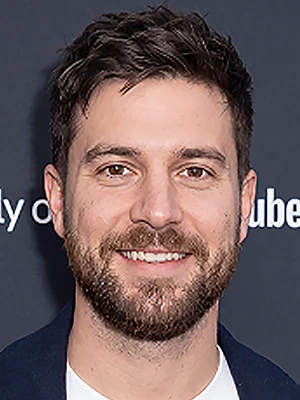
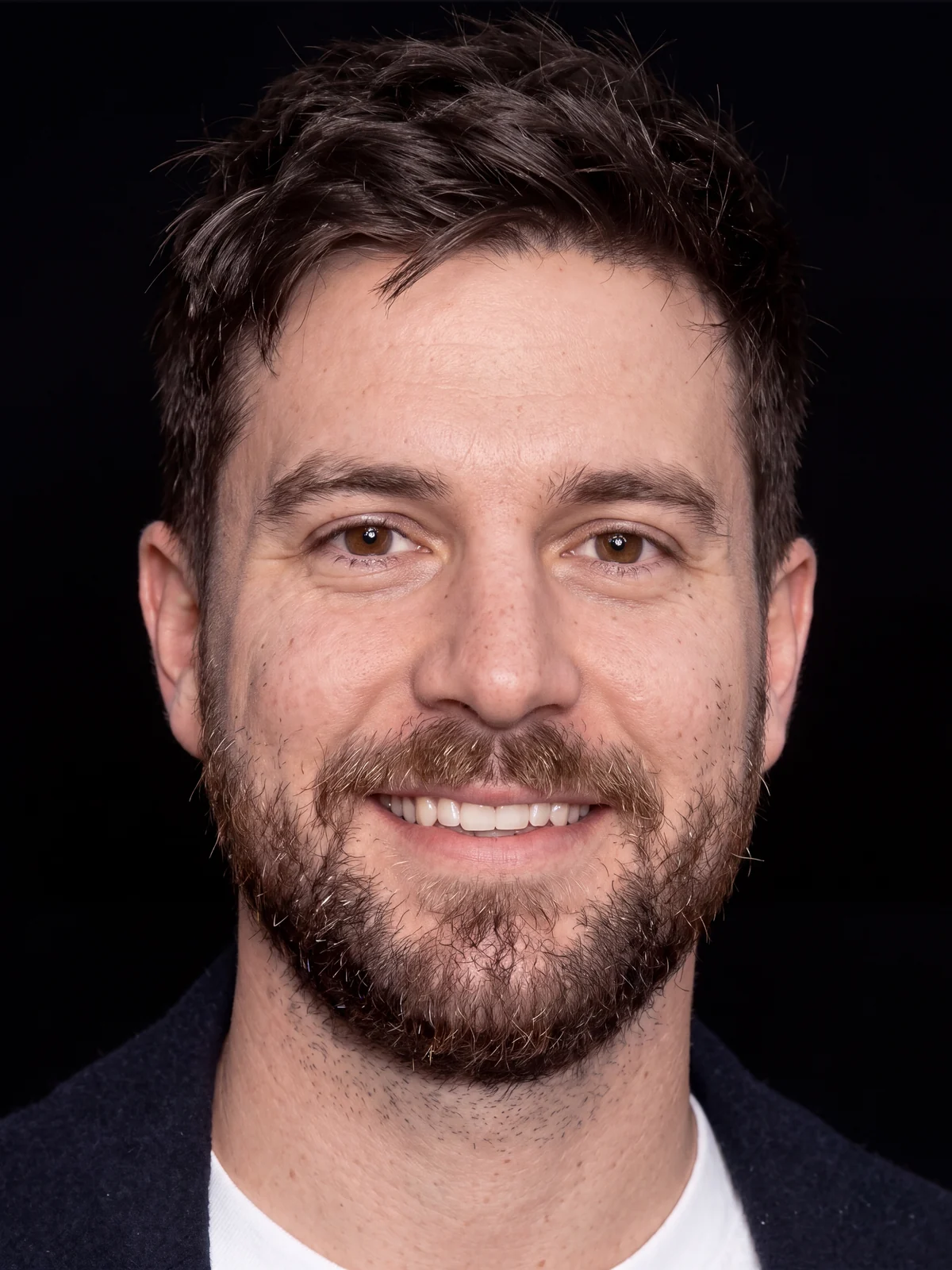 Before4K
A photo from an event, rebuilt as a headshot on black. Drag the handle.
"Look at all the details, the skin texture, everything," as I said when this one came back. The light follows the backdrop too: "it will match the lighting with the background". On a portrait taken in the sun, it kept the sunlight on her hair on black, because against a dark backdrop that light makes sense. Watch (4:09)
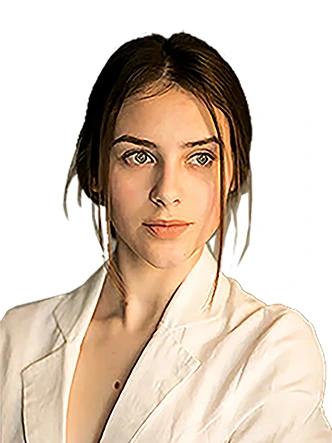
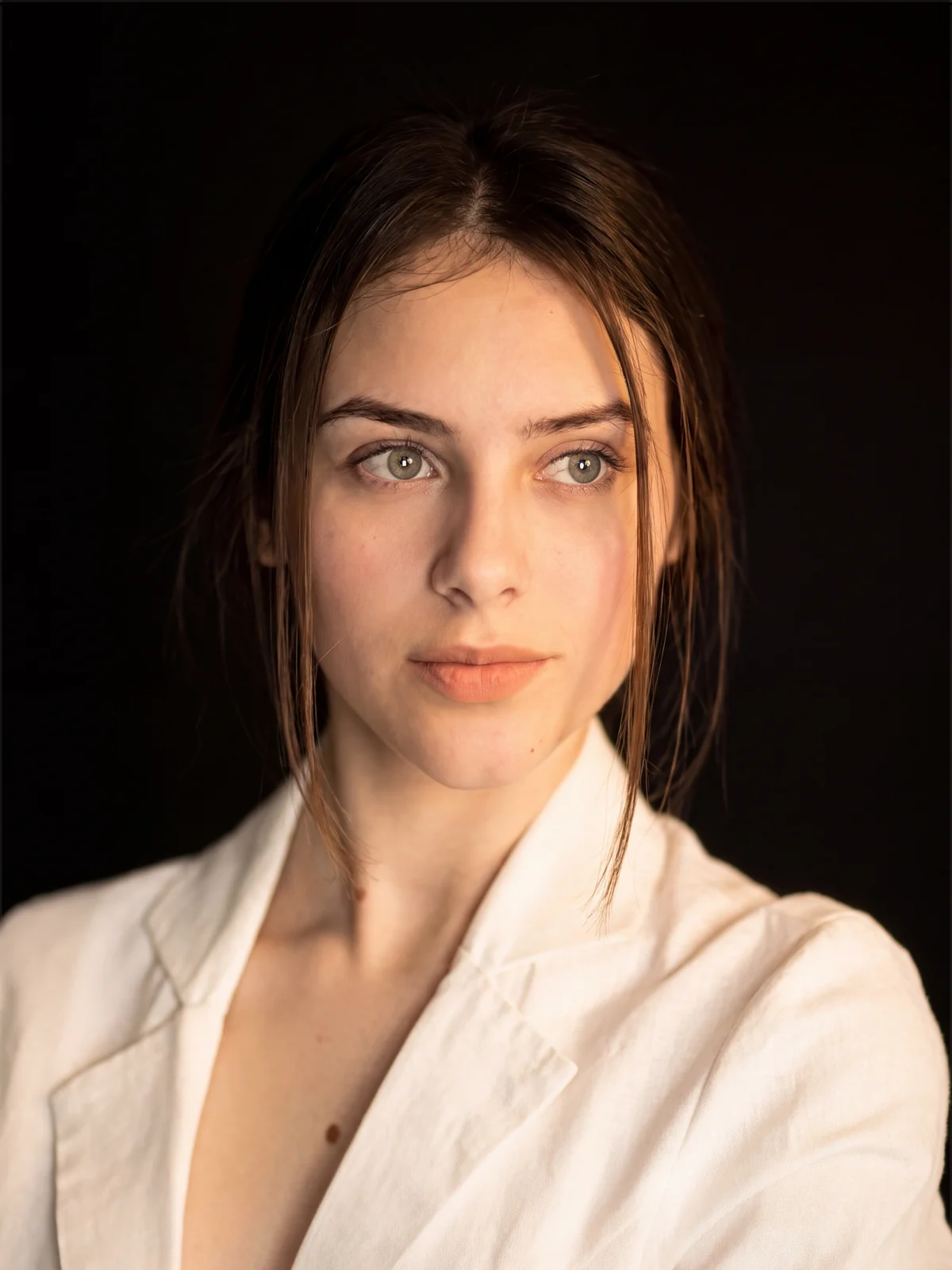 Before4K
A rough cut-out, rebuilt in 4K on black. Drag the handle.
It's built to keep the face, but the less there is to go on, the more it has to rebuild. On a tiny photo, check the eyes and the mouth against your original. The step by step with all four examples: how to upscale a low res portrait to 4K.
Which way should you choose?
| Photoshop by hand | AI headshot generator | Studio portrait | |
|---|---|---|---|
| You give it | One good photo | Several selfies | One photo |
| You get | Your photo on a new backdrop | 20 to 120 new photos | Your photo rebuilt at 4K, as a layer |
| Your face | Untouched | Some may not look like you | Kept; check the eyes and mouth |
| Your clothes | Yours | From a list | Yours |
| Cost | Your plan, plus credits for Harmonize | $29 to $79 once | 7 credits, about 35 cents |
Is it honest to use an AI headshot on LinkedIn?
LinkedIn's rule is about likeness, not method. It says your photo "must reflect your likeness", allows "an illustration, caricature, or other artistic rendering of yourself", and its community policies say not to use "any other image that is not your likeness". So a retouched or rebuilt photo that still looks like you is fine. One that makes you look like someone else isn't, whether a photographer, an app or a plugin made it.
How do you check it still looks like you?
- Put the result next to your original at 100% and compare the eyes, the teeth, the width of the face and the skin tone.
- Watch for the things I've seen AI change in my own tests: a face made a little thinner, eyes that aren't quite yours, and skin that has the plastic look of AI.
- Ask someone who knows you well. If they hesitate, try again.
For the skin itself, without changing anything else, see how to retouch skin without losing the texture.
Turn any portrait into a 4K studio headshot
Studio portrait is on Radbin's Enhance tab, next to 14 other tools and twelve image models. 7 credits a portrait, and a failed job refunds itself.
Watch Radbin on YouTube
Real tests and tutorials, inside Photoshop and Premiere. See the whole channel.
 21:44Photoshop 2027 new features vs Radbin
 19:57Claude Opus 5.5 edits my video in Premiere Pro
 16:20GPT Image 2.6 in Photoshop: images, vectors and GIFs
 19:25Relight any photo in Photoshop with AI
 20:03Nano Banana 2.1 vs GPT Image 2 and FLUX 3: ten tests
 14:31Photoshop Relight vs Radbin Lightsmith
 10:24Retouch skin without losing the texture
 9:28Every Radbin tool in 9 minutes
 9:50Fix the focus of any photo after it was taken
 1:43Radbin changes only what you ask