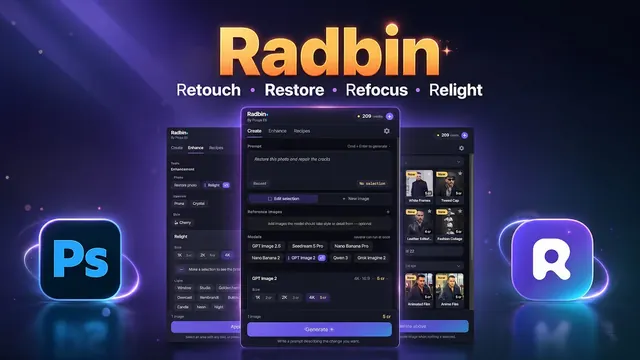
 Radbin
The short answer: not by itself. Claude reads text and pictures, not video. The Claude apps take documents and images, and its API takes PDFs, text and images; video and audio files aren't on either list. So when people say they edit video with Claude, Claude is reading a transcript of the sound, sometimes with a few still frames, and deciding the edit. Another tool then cuts the footage: ffmpeg, a connector, or a plugin inside Premiere.
I built one of those plugins, Radbin for Premiere, so this post is written by someone with a horse in the race. I'll show you every way I know, including the free ones, and a real edit I made with mine.
My two-camera edit with Claude, start to finish, 20 minutes.
Can Claude watch a video?
No. According to Claude's own help pages, the Claude apps take documents such as PDF, Word and text files, and images such as JPEG and PNG, up to 500 MB a file and 20 files a chat (the upload list). The API takes PDFs, plain text and images (its files guide). There's no video or audio input in either.
That's less of a problem than it sounds. Most editing decisions in a talking-head video are about words: which take is the good one, where a sentence really ends, which pause is too long. A transcript holds all of that, and Claude is very good at reading one. For the rest, like telling your camera from your screen recording, a few small still frames are enough.
How do people edit video with Claude today?
| Way | On your Premiere timeline? | What Claude sees | Cost |
|---|---|---|---|
| Paste a transcript into the Claude app | No, you cut by hand | Your transcript | Your Claude plan |
| Claude Code with ffmpeg | No, it renders a new file | A transcript and a few stills | Your Claude plan, plus transcription |
| Claude Code with Remotion | No, it builds videos from code | Your code and files | Your Claude plan |
| Community MCP servers for Premiere or Resolve | Yes, unofficially | What the server exposes | Free and open source |
| AutoEdit | Yes, a duplicate sequence | A transcript | Claude editing from $14.70 a month, yearly |
| Radbin for Premiere (mine) | Yes, a new sequence | The sound and a few small stills | 40 credits free, then about 4 a minute |
- The Claude app: transcribe your video, paste the transcript in, and ask which parts to cut. Free if you already pay for Claude, but you make every cut yourself.
- Claude Code with ffmpeg: open source projects such as video-use let Claude Code read the transcript, look at a few frames where it has to decide, and render a finished file with ffmpeg. Powerful if you're at home in a terminal; you lose your Premiere timeline.
- Claude Code with Remotion: Remotion turns code into video, so Claude can build animations and explainers. It makes new videos rather than editing your footage.
- MCP servers: community servers connect Claude to Premiere Pro or DaVinci Resolve so it can act on your project. They're unofficial, so back up your project first.
- Plugins inside Premiere: AutoEdit and Radbin for Premiere put Claude in a panel. You never leave your timeline, and the edit lands as a new sequence.
Not Claude, but worth knowing: Premiere 27.0 added its own AI Assistant panel in beta at Adobe MAX, and Adobe previewed a way for agents like Claude to work on Premiere projects directly, from early 2027.
Why not just upload your video to Claude?
I asked myself the same thing in the video. Even where a setup lets you "upload" a video, something has to turn it into sound and frames first, and Claude then works through it in one long request. "It can do more or less a good job," as I said, "but for a 5 minute video, it may take like 30 minutes," and if you don't like one cut, you send the whole request again. Watch (6:45)
In a plugin, the slow part happens once. After that, every change is yours to make by hand on the timeline, and an update to the edit takes seconds.
Can Claude edit inside Adobe Premiere?
Yes, through a plugin or an MCP server, and soon through Adobe's own connection for agents. A note on the name: Adobe renamed Premiere Pro to Adobe Premiere with version 26.0, in January 2026, but most people still search for Premiere Pro, so I use both.
How do you edit a video with Claude in Premiere, step by step?
This is how it works in Radbin for Premiere, on a video I recorded with two cameras and a screen recording.
- Open Window › UXP Plugins › Radbin and go to the Edit tab.
- Stack your clips on the timeline instead of placing them end to end. They don't have to be synced, and stacking cuts the price. Watch (3:52)
- It recognises each person and each camera. Pick your main camera and the clip with your main audio. Watch (4:33)
- Add your own requests, if you have any, in plain words. Watch (5:21)
- Choose the pace. I picked a relaxed, podcast-style one that leaves more room around each cut, then pressed the edit button. Watch (6:08)
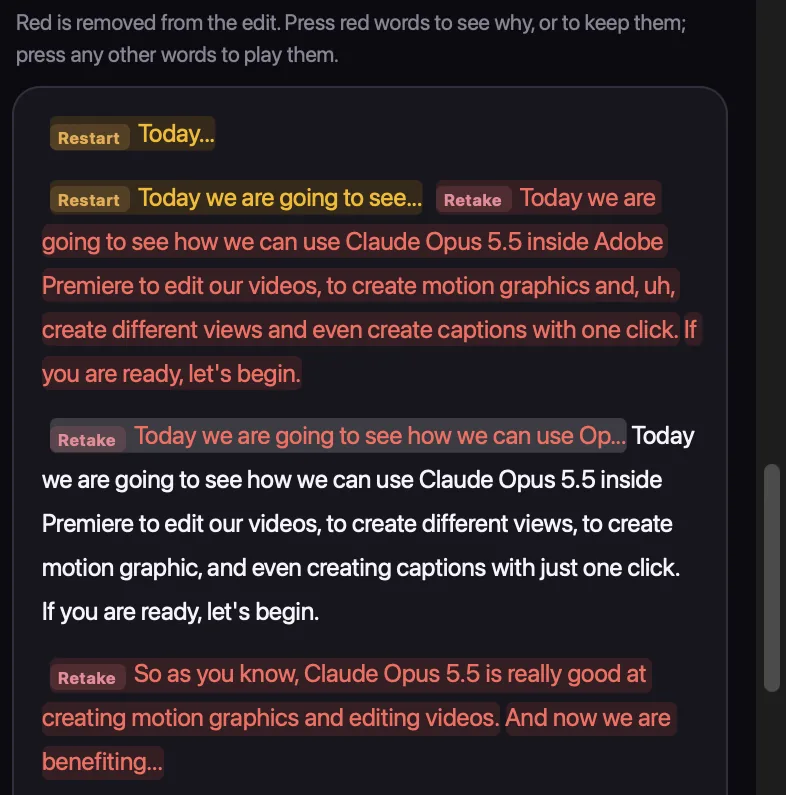
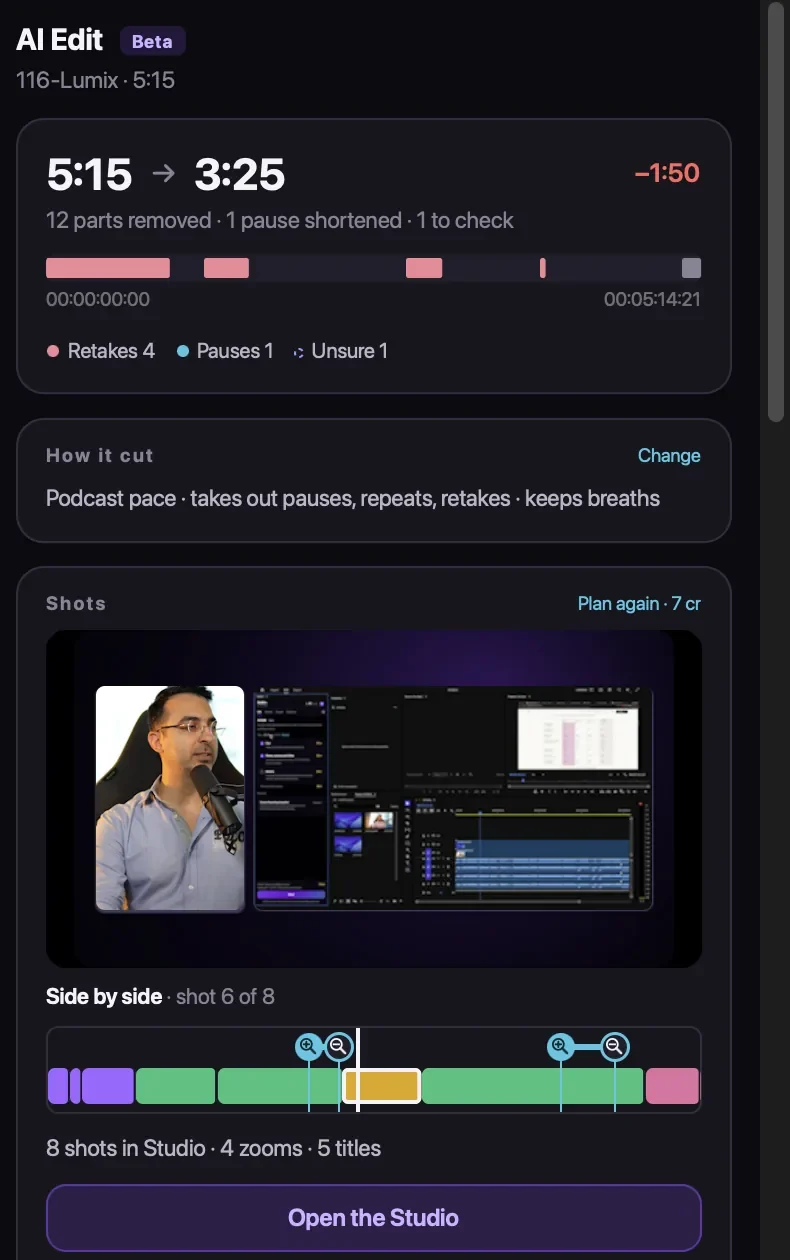
It found my restarts, the "OK, let's do it again" moments, and kept the best take each time. On my launch video it took a 5:15 recording down to 3:25 in about a minute and a half: 12 parts removed, 8 shots, 4 zooms and 5 titles, for 24 credits. Watch (7:25)
What can Claude do beyond cutting retakes?
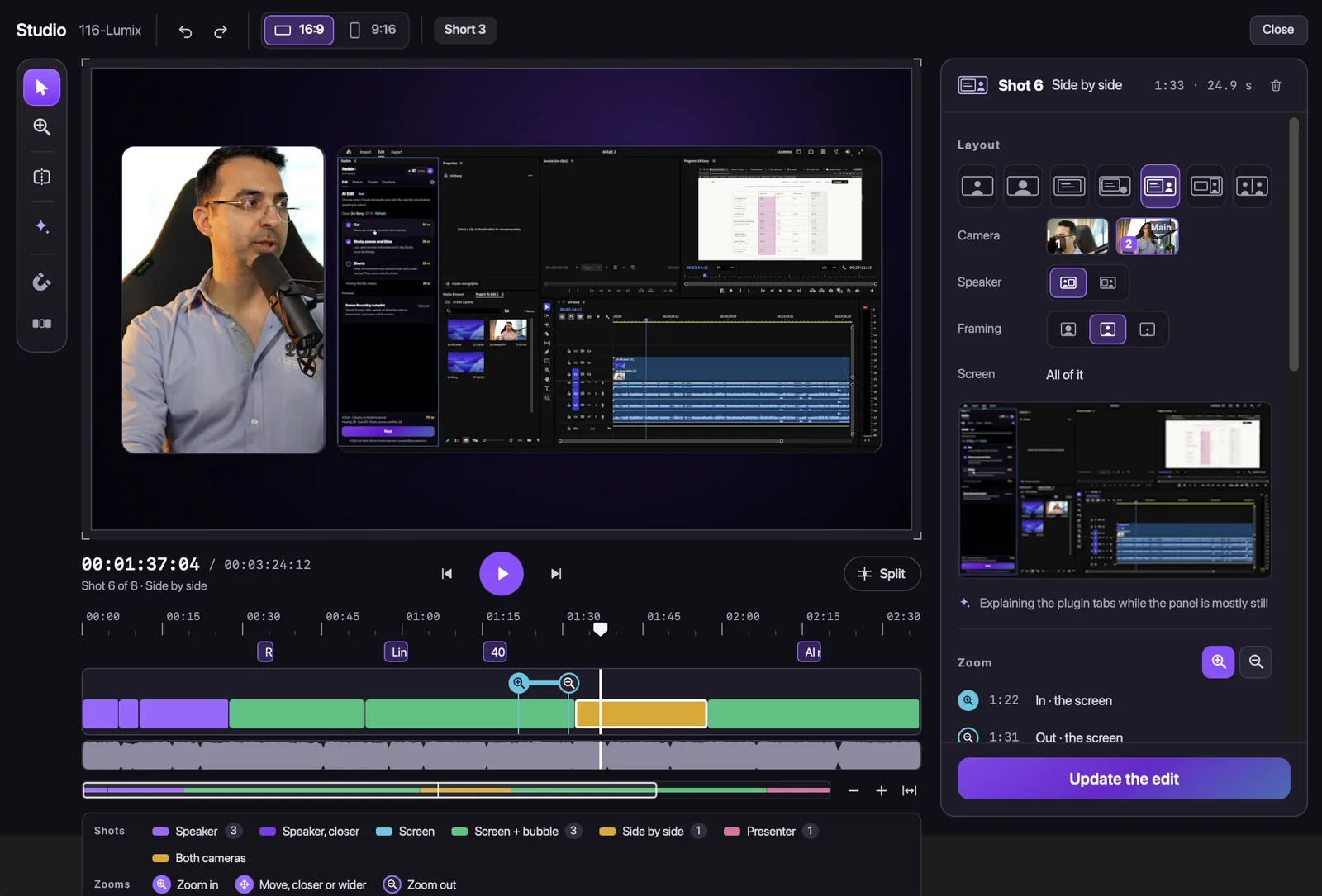
- Shots and cameras: the Studio lays out each shot. Split a shot and switch it to the other camera, or put your screen behind you. Watch (8:49)
- Layouts: full screen or framed, with your own background colour, for one shot or all of them. Watch (9:58)
- Animated titles placed on their word, with sound effects if you want them. Watch (10:36)
- Zooms where your words point at the screen. Move them, remove them, or drag over an area for a new one. Watch (11:53)
- Cuts you ask for while recording. Before I pasted my licence key on screen, I said "Claude, cut it from here", and "till here" after. It cut exactly that. Watch (13:04)
- Undo any cut: every removed part is listed with its reason, and one press brings it back. Watch (15:28)
- Shorts and vertical video: it finds the moments that stand on their own and makes each a vertical edit, or turns the whole video to 9:16. More in how to turn a long video into Shorts.
For the plain version, removing silence and retakes only, see how to remove silence in Premiere Pro, and your retakes too.
What does Claude actually see of your video?
In Radbin for Premiere, your video files stay on your computer. It sends the sound, plus a few small stills when Claude needs to see which video is your camera and which is your screen, and nothing is used to train models. Claude reads a transcript of what you said, with the timing of every word, and that's what it edits.
Which Claude model edits your video?
Claude Opus 5.5 by default. Since Radbin for Premiere 1.2.0, on 14 November 2026, you can also choose Claude Fable 5.2, at its own price, which is shown on the button before you press.
What does it cost?
- A full edit, with cuts, shots, zooms and titles: about 4 credits a minute of video, at least 15.
- Cuts only: 3 credits a minute, at least 8.
- Changes in the Studio and updates: free. A failed run gives its credits back.
- A free start: 40 credits for 30 days, no card, enough for about a 10-minute video. Plans start at $9.97 a month for 200 credits.
What can't Claude do yet?
It needs speech. Talking-head videos, tutorials, interviews and podcasts are where it shines, because the transcript carries the story. It doesn't choose B-roll by taste, and colour grading and the sound mix are still yours. Treat it like a fast first editor: it does the tedious first pass, and you make it yours.
Let Claude edit your next video, inside Premiere Pro
Claude Opus 5.5 takes out the retakes and long pauses, lays out your cameras and screen, and adds zooms and titles in a new sequence. Your first 40 credits are free.
Watch Radbin on YouTube
Real tests and tutorials, inside Photoshop and Premiere. See the whole channel.
 21:44Photoshop 2027 new features vs Radbin
 16:20GPT Image 2.6 in Photoshop: images, vectors and GIFs
 7:37Upscale a low res portrait to 4K in Photoshop
 19:25Relight any photo in Photoshop with AI
 20:03Nano Banana 2.1 vs GPT Image 2 and FLUX 3: ten tests
 14:31Photoshop Relight vs Radbin Lightsmith
 10:24Retouch skin without losing the texture
 9:28Every Radbin tool in 9 minutes
 9:50Fix the focus of any photo after it was taken
 1:43Radbin changes only what you ask